20 Marble Texture Brushes for Design
Texture is the silent language of design. It tells the eye how a surface should feel, adding depth and realism to otherwise flat digital canvases. Among the most sought-after textures in modern graphic design is marble. With its organic veins, cool tones, and luxurious appearance, marble has transcended interior design to become a staple in branding, web design, and digital art. However, creating realistic marble effects from scratch can be time-consuming and technically demanding. This is where a curated collection like the 20 Marble Texture Brushes becomes an invaluable asset for creators at every level.
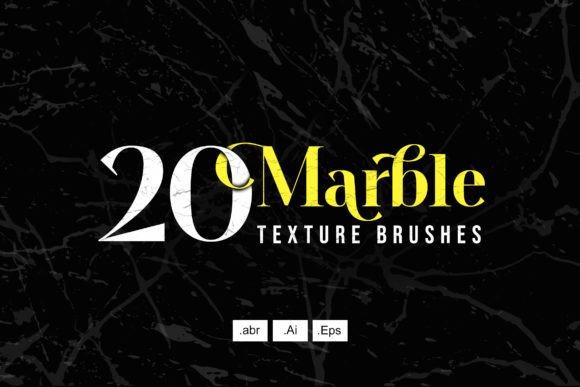
This specific pack offers more than just simple overlays. It contains 20 various marble brushes accompanied by vector files, ensuring that your designs remain crisp and scalable regardless of the output size. The brush textures are high resolution, measuring 3400 x 2500 px, which provides ample detail for large-format prints or high-density screens. For designers who value both efficiency and quality, understanding how to leverage these tools can significantly enhance workflow and final output.
What Is Included in the Pack?
Before diving into application, it is essential to understand the technical composition of this resource. The 20 Marble Texture Brushes are not merely image files; they are functional tools designed for integration into professional software ecosystems. The file inclusion list is straightforward yet comprehensive:
- .Abr Files: These are Photoshop brush presets. They allow you to "paint" with marble textures, giving you control over opacity, flow, and blending modes directly on your canvas.
- .Ai Files: Adobe Illustrator vector files. These are crucial for logo design and print media where scalability is non-negotiable.
- .Eps Files: Encapsulated PostScript files, offering broad compatibility with various vector-based design applications beyond just Illustrator.
The combination of raster brushes and vector assets addresses two distinct needs: the artistic freedom of painting with texture and the precision required for geometric layout and branding.
Why Different Creators Care About Marble Textures
The appeal of marble is universal, but the reasons for adopting this specific brush set vary significantly depending on your role and goals. What matters to a freelance illustrator may differ vastly from the priorities of a small business owner launching a new product line.
For Beginners and Hobbyists
If you are new to digital design, the learning curve associated with creating realistic textures can be steep. Generating a convincing marble vein pattern requires advanced knowledge of layer styles, noise filters, and displacement maps. For beginners, the 20 Marble Texture Brushes serve as an educational shortcut. By using pre-made brushes, you can observe how texture interacts with color and shape without getting bogged down in technical creation processes.
The primary priority here is ease of use. The .Abr files allow hobbyists to experiment with drag-and-drop functionality or simple brush strokes. This immediate gratification helps maintain motivation and encourages further exploration of digital art techniques. Furthermore, the high resolution ensures that even if a beginner makes a mistake in scaling, the quality remains intact, reducing frustration.
For Professional Designers and Freelancers
Experienced designers often face the twin pressures of tight deadlines and high client expectations. For this group, the value of the 20 Marble Texture Brushes lies in speed and reliability. When a client requests a luxury aesthetic for a cosmetic brand or a wedding invitation suite, there is no time to build textures from scratch. These brushes provide a consistent, high-quality base that can be customized quickly.
Professionals will particularly appreciate the inclusion of vector files (.Ai and .Eps). In commercial printing, raster images can pixelate if scaled incorrectly. Vector marble elements ensure that business cards, brochures, and packaging designs remain sharp at any size. The ability to toggle between a paintable brush for mockups and a vector element for final production streamlines the workflow from concept to delivery.
For Entrepreneurs and Small Business Owners
Not every business owner has the budget to hire a full-time graphic designer. Many entrepreneurs manage their own social media graphics, website banners, and product packaging. For this audience, the 20 Marble Texture Brushes offer commercial value and brand consistency.
Marble conveys sophistication and stability. By using these textures, a small business can elevate its visual identity to compete with larger corporations. The practical application here is often in presentation decks, invoice templates, or Instagram story backgrounds. The high-resolution nature of the files (3400 x 2500 px) means these textures can be used for both digital ads and physical merchandise, such as tote bags or phone cases, without loss of quality. The key consideration for this group is versatility—can one purchase solve multiple design problems? In this case, the answer is yes.
For Educators and Content Creators
Educators designing course materials, worksheets, or presentation slides often struggle to make dry content visually engaging. Marble textures provide a clean, neutral background that enhances readability while adding a touch of elegance. Similarly, bloggers and YouTubers need thumbnail backgrounds that stand out without distracting from the text or subject.
For this audience, the priority is aesthetic flexibility. The 20 variations included in the pack ensure that creators do not repeat the same look across all their content. Whether it is a subtle grey vein for a professional LinkedIn post or a bold black-and-white contrast for a YouTube thumbnail, the variety allows for tailored visual communication. The vector files are particularly useful for educators who may need to resize elements for different aspect ratios, from widescreen videos to vertical mobile stories.
Practical Applications and Use Cases
Understanding the theoretical benefits is one thing; applying them is another. Here are practical ways different users can integrate the 20 Marble Texture Brushes into their projects:
- Typography Effects: Use the .Abr brushes in Photoshop to mask text layers. This creates the illusion that letters are carved out of stone, ideal for headlines in fashion magazines or luxury product launches.
- Logo Design: Import the .Ai vector files into Illustrator. Adjust the colors to match brand guidelines. This is perfect for beauty salons, architectural firms, or jewelry brands seeking a premium look.
- Social Media Templates: Create a set of Canva or Photoshop templates using the high-res JPEGs derived from the brushes. Layer text over the lighter areas of the marble to ensure legibility.
- Product Mockups: Apply the textures to 3D models of bottles, boxes, or phones. The high resolution ensures that when clients view the mockup up close, the texture looks authentic rather than blurry.
Evaluating Quality and Compatibility
When selecting digital assets, quality is paramount. The specification of 3400 x 2500 px indicates a high pixel density, which is critical for print-on-demand services and large-format advertising. Lower resolution textures often reveal repetitive patterns or pixelation when enlarged, breaking the illusion of realism. These brushes avoid that pitfall.
Compatibility is another crucial factor. The inclusion of .Abr, .Ai, and .Eps formats covers the majority of industry-standard software. Whether you use Adobe Creative Cloud, Affinity Designer, or CorelDRAW, you will likely find a compatible file type. This cross-platform usability reduces the friction of integrating new tools into an existing tech stack.
Making the Right Choice for Your Project
Deciding whether the 20 Marble Texture Brushes are right for you depends on your specific project requirements. If you are working on a gritty, urban-themed project, these may not be the best fit. However, if your goal is to convey elegance, cleanliness, or natural beauty, these textures are highly effective.
Consider your skill level and time constraints. If you have hours to spare and enjoy technical challenges, creating your own textures might be rewarding. But if you need reliable, professional results quickly, this pack offers a efficient solution. For those balancing multiple roles—such as a marketer who also handles design—the ability to switch between vector precision and brush-based creativity provides the flexibility needed to adapt to varying task demands.
Ultimately, tools like these are about empowering creativity rather than replacing it. They handle the heavy lifting of texture generation, allowing you to focus on composition, color theory, and message delivery. Whether you are a student learning the ropes, a freelancer managing client deadlines, or a business owner building a brand, these marble textures offer a versatile foundation for high-impact visual design.