Alphabet Number Brushes Stamps for Procreate
Digital illustration and graphic design often require a delicate balance between artistic expression and technical efficiency. For creators working on the iPad, the need to quickly integrate text, numerals, and symbolic elements into artwork can sometimes interrupt the creative flow. Switching between complex typography tools and freehand drawing apps may feel cumbersome, especially when the goal is to maintain a hand-drawn aesthetic. This is where specialized tools like Alphabet Number Brushes Stamps become invaluable. By streamlining the process of adding characters to your canvas, these brushes allow you to focus more on composition and style rather than mechanical execution.
The concept behind stamp brushes is straightforward yet powerful. Instead of manually drawing each letter or number, which can lead to inconsistencies in size and style, you utilize pre-designed stamps that retain the organic feel of hand-lettering. This approach is particularly beneficial for professionals, educators, and hobbyists who need to produce high-quality visual content rapidly. Whether you are designing educational materials, creating social media graphics, or journaling digitally, having immediate access to a cohesive set of characters can significantly enhance your workflow.
Enhancing Creative Efficiency and Consistency
One of the primary advantages of using Alphabet Number Brushes Stamps is the consistency they bring to your designs. When hand-lettering an entire alphabet or a series of numbers, maintaining uniform stroke weight, spacing, and style can be challenging, even for experienced artists. Inconsistencies can distract the viewer and diminish the professional quality of the final piece. Stamp brushes eliminate this variable by providing a standardized set of characters that still possess a handmade charm.
Consider a scenario where you are creating a weekly planner or a classroom worksheet. You need clear, legible numbers and letters that align perfectly with your illustrative style. Using traditional text boxes might result in a sterile, digital look that clashes with your hand-drawn icons. Conversely, drawing each character by hand is time-consuming. With this brush set, you simply tap the screen to place a character. You can then resize, rotate, or adjust the opacity to blend it seamlessly into your artwork. This method ensures that every element looks like it belongs together, creating a harmonious visual experience.
Furthermore, the ability to customize these stamps adds another layer of utility. You are not locked into a single color or size. By adjusting the settings in Procreate, you can change the hue to match your palette, reduce opacity for watermark effects, or scale the stamps to fit specific layout requirements. This flexibility means that a single brush set can serve multiple purposes across different projects, from bold headlines to subtle background details.
Practical Applications for Diverse Creators
The versatility of Alphabet Number Brushes Stamps makes them suitable for a wide range of users. Educators, for instance, can use these tools to create engaging digital worksheets, flashcards, and presentation slides. The inclusion of numbers 0-9 and various symbols allows for the creation of math problems, calendars, and labeled diagrams without the need for external software. This immediacy supports faster lesson planning and more visually appealing educational resources.
For entrepreneurs and small business owners, branding consistency is crucial. These brushes can be used to design logos, product labels, and promotional materials that feature a unique, hand-crafted aesthetic. Instead of hiring a lettering artist for every minor update, you can maintain control over your brand’s visual identity by using these stamps to add custom touches to your marketing assets. Bloggers and content creators also benefit by being able to quickly annotate images, create eye-catching headers, or design quote graphics that stand out on social media platforms.
Hobbyists and digital journalers will find these brushes particularly enjoyable. Digital planning has grown in popularity due to its convenience and environmental benefits. However, many users miss the tactile satisfaction of writing with pen and paper. Stamp bridges this gap by offering a quick way to add dates, headings, and decorative elements to digital journals. The fun and interactive nature of tapping and placing stamps makes the design process less daunting and more playful, encouraging users to experiment with layouts and styles.
Understanding the Brush Set Contents
To maximize the utility of this tool, it is important to understand what is included in the package. The Alphabet Number Brushes Stamps set is comprehensive, designed to cover most basic typographic needs. It includes:
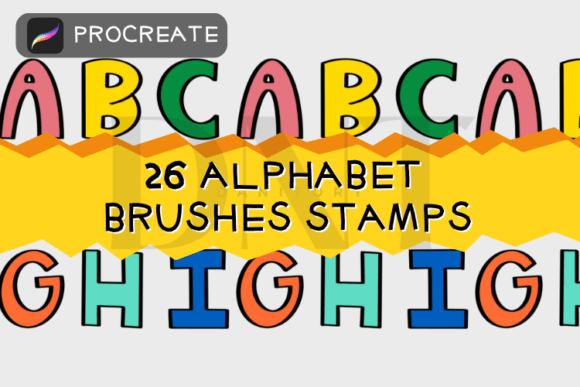
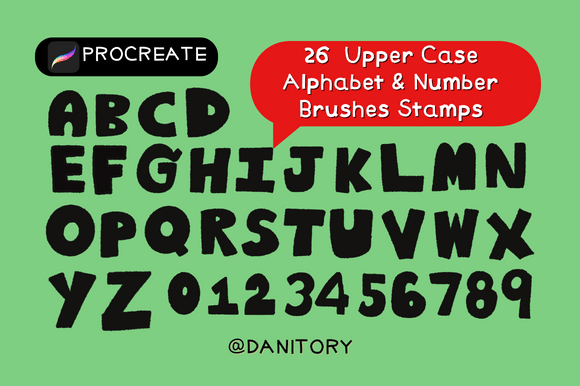
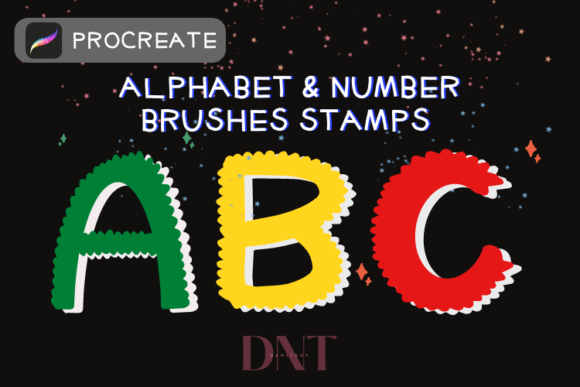
- 26 Alphabet Brush Stamps: Covering A to Z, allowing for full word creation and headline design.
- Number 0-9 Brush Stamps: Essential for dates, prices, lists, and mathematical content.
- 4 Symbol Brush Stamps: Adding versatile punctuation or decorative elements to enhance visual interest.
All these elements are contained within a single zipped file, making storage and management simple. The compact nature of the file ensures that it does not clutter your device, while the organization within Procreate allows for quick access during your creative sessions. The inclusion of symbols, though limited in number, provides essential tools for emphasis and decoration, rounding out the set for general-purpose use.
Installation and Usage Guide
Getting started with these brushes is a straightforward process, designed to be user-friendly even for those who are new to digital art tools. The installation is optimized for iPad users working within the Procreate ecosystem. Here is how you can integrate these tools into your workflow:
- Download the File: Begin by downloading the zipped file containing the brush set to your iPad.
- Unzip the Archive: Open the Files app on your iPad and locate the downloaded zip file. Tap to unzip it. This step is crucial as Procreate requires the uncompressed .brushset file to import correctly.
- Import to Procreate: Once unzipped, tap on the brush set file. It should automatically open in Procreate and import itself into your brush library. If it does not open automatically, you can manually import it by selecting "Import" from the brush library menu in Procreate.
- Start Creating: Open a new or existing canvas. Select the brush from your library. Choose the specific letter, number, or symbol you wish to use.
- Customize Your Design: Tap on the screen to place the stamp. You can then use the transform tool to resize or rotate the character. Adjust the opacity, color, and blending modes to suit your design needs.
It is important to note that this brush set applies to Procreate only. Users of other digital art applications may need to look for compatible formats or alternative tools. Ensuring that your Procreate app is updated to the latest version can also help prevent any compatibility issues during installation.
Making the Most of Your Digital Tools
While Alphabet Number Brushes Stamps offer significant advantages in speed and consistency, they are most effective when used as part of a broader design strategy. They are ideal for projects that require a hand-drawn look but do not demand unique, custom calligraphy for every single character. For highly specialized typographic projects, combining these stamps with manual lettering adjustments may yield the best results.
Ultimately, the value of these brushes lies in their ability to remove friction from the creative process. By simplifying the addition of text and numbers, they allow you to spend more time on the aspects of design that truly matter: composition, color theory, and storytelling. Whether you are a professional designer looking to streamline your workflow or a hobbyist seeking to add a personal touch to your digital creations, this tool offers a practical solution. Thank you for your support, and we hope you enjoy using these brushes to make your work easier, faster, and more fun.