Enhancing Digital Art with Autumn Garden Procreate Stamp Brushes
The transition into autumn brings a distinct shift in the visual landscape, characterized by warm hues, textured foliage, and cozy atmospheric elements. For digital artists using the iPad, capturing this seasonal essence requires tools that are both versatile and efficient. The Autumn Garden Procreate Stamp Brushes offer a specialized solution for creators looking to infuse their work with the charm of the fall season. This collection is not merely a set of generic shapes; it is a curated toolkit designed to streamline the workflow while maintaining artistic integrity. By integrating thirteen unique stamps into the Procreate ecosystem, artists can focus more on composition and storytelling rather than repetitive detailing.
The Composition of the Autumn Collection
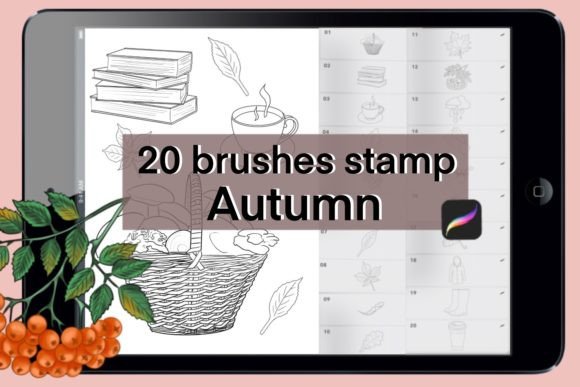
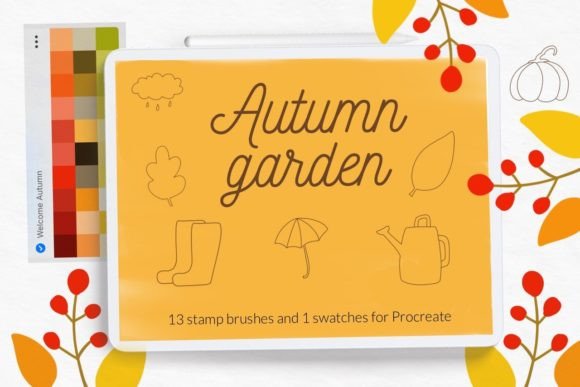
Understanding the specific components of a digital brush set is crucial for maximizing its utility. The Autumn garden stamp brushes for Procreate included in this package are carefully selected to represent the quintessential elements of the season. The set comprises thirteen distinct stamps, each serving a specific narrative or decorative purpose. These include organic elements such as leaves in various stages of decay, vibrant sunflowers, and pumpkins, which are iconic symbols of harvest time. Additionally, the set features man-made objects like wooden boxes, watering cans, and umbrellas, adding a layer of human interaction to natural scenes.
Beyond physical objects, the collection includes hand-lettered autumn quotes. These typographic elements allow artists to integrate text seamlessly into their illustrations without needing advanced lettering skills. The inclusion of these quotes transforms the brush set from a simple asset library into a comprehensive design tool suitable for greeting cards, social media graphics, and journal entries. Furthermore, the package provides one color swatch file for Procreate, pre-loaded with cute autumn colors. This ensures color harmony across the artwork, saving time on palette selection and ensuring that every element adheres to a cohesive thermal aesthetic.
Technical Compatibility and Requirements
Before integrating any new digital assets into a creative workflow, it is essential to verify technical compatibility. The Autumn Garden Procreate Stamp Brushes are designed exclusively for the iPad version of Procreate. This specificity ensures that the brushes leverage the full capabilities of Apple Pencil pressure sensitivity and touch gestures. However, users must be aware of version constraints. The brushset file format is optimized for modern iterations of the software. Specifically, for Procreate version 4.0 or earlier, the standard brushset installation method is not available. Users operating on older versions must utilize alternative installation methods involving individual .brush files.
This distinction highlights the importance of keeping software updated to access the most streamlined workflows. Modern Procreate versions support the .brushset format, which allows for the simultaneous installation of multiple brushes, preserving folder structures and settings. For those unable to update due to hardware limitations, the individual file method remains a viable, albeit more labor-intensive, alternative. Understanding these technical nuances prevents frustration during the setup phase and ensures a smooth transition into the creative process.
Installation Procedures for Optimal Setup
Installing digital brushes correctly is fundamental to their performance. The process varies depending on the file type and the version of Procreate being used. For users with modern iPads and updated software, the process is straightforward. However, for those using older versions or preferring manual control, a step-by-step approach is necessary. Below are the detailed instructions for installing the Autumn garden stamp brushes using the individual .brush file method, which is compatible with Procreate version 4.0 or earlier.
- Download the Files: Begin by downloading the folder containing the .brush files to a accessible location on your iPad, such as the Files app.
- Locate the Brush File: Open the folder and identify the specific .brush file you wish to install. It is advisable to install them one by one to ensure each is placed correctly.
- Initiate the Share Menu: Tap and hold the .brush file with your finger or Apple Pencil until a context menu appears.
- Select Share: Choose the "Share" option from the menu. This action opens the iOS sharing interface.
- Find Procreate: If the option "Open in Procreate" is immediately visible, select it. If it is missing, click on "More" to reveal additional apps.
- Enable the App: Scroll through the list to find Procreate. You may need to enable it if it is not currently listed. Once found, click on it.
- Verify Installation: Open your project in Procreate. Click on the brush icon at the top right corner. The new brush should appear in your currently selected brush library.
Alternatively, for users who prefer managing their libraries within the app, there is a second method. Open Procreate and navigate to the brush library. Click on the plus sign to create a new collection or select an existing one. Choose the "Import" option and navigate to the folder where the downloaded brush is stored. Select the file, and it will be added directly to your Procreate library. This method offers greater control over organization, allowing artists to categorize the Autumn Garden Procreate Stamp Brushes alongside other seasonal or thematic tools.
Practical Applications in Digital Design
The versatility of the thirteen autumn Procreate stamps extends beyond simple illustration. Professionals and hobbyists alike can leverage these assets in various contexts. For educators, these brushes can be used to create engaging seasonal worksheets or presentation materials. The hand-lettered quotes, in particular, offer a quick way to add inspirational messages to educational content. Business owners might utilize the wooden box and pumpkin stamps to design promotional materials for fall sales or harvest festivals. The pre-set color swatches ensure that branding remains consistent with seasonal marketing trends.
For creators and hobbyists, the possibilities are equally expansive. Digital planners and journal enthusiasts can use the watering can and umbrella stamps to decorate daily logs, adding a personal touch to routine tracking. The leaf stamps are ideal for creating borders or background textures, providing depth without overwhelming the primary content. Researchers and writers might appreciate the aesthetic appeal of these brushes when creating visual abstracts or cover images for articles related to nature, agriculture, or seasonal changes. The ability to quickly assemble complex scenes using stamps like the sunflower and booth allows for rapid prototyping of ideas, facilitating a more iterative creative process.
Advantages of Using Stamp Brushes
Incorporating stamp brushes into a digital workflow offers several distinct advantages over traditional drawing methods. Efficiency is perhaps the most significant benefit. Drawing intricate details like the veins of a leaf or the texture of a wooden box can be time-consuming. Stamp brushes replicate these details instantly, allowing artists to allocate more time to composition and lighting. Consistency is another key advantage. When creating patterns or repeating elements, stamps ensure uniformity in shape and style, which is difficult to achieve manually.
Furthermore, the non-destructive nature of digital stamps allows for endless experimentation. Artists can resize, rotate, and recolor the Autumn garden stamp brushes for Procreate without compromising quality. This flexibility encourages exploration and reduces the fear of making mistakes. The inclusion of a color swatch further enhances this advantage by providing a starting point for color theory application. Users can easily test different combinations of the cute autumn colors against the stamps to find the perfect mood for their piece.
Considerations for Professional Use
While stamp brushes are powerful tools, professional users must consider how to integrate them without sacrificing originality. Over-reliance on stamps can lead to a generic look if not customized. To maintain a unique artistic voice, it is recommended to combine stamps with hand-drawn elements. For instance, using a leaf stamp as a base and then adding custom shading or highlights can transform a standard asset into a unique piece of art. Additionally, understanding the licensing terms provided by the creator, such as © Let s Art ♡, is crucial for commercial projects. Ensuring that the usage rights align with the intended application protects both the artist and the creator.
The resolution and scalability of the stamps are also important factors. Since these are designed for Procreate on iPad, they are optimized for high-resolution canvases typical of tablet displays. However, when exporting for large-format print, users should verify that the stamp details remain crisp. Testing the brushes at various sizes during the initial setup phase can help determine their limits and best use cases. By treating the Autumn Garden Procreate Stamp Brushes as foundational elements rather than final products, artists can elevate their work while benefiting from the efficiency these tools provide.
In conclusion, the integration of specialized stamp brushes like those found in the Autumn Garden collection represents a significant enhancement to the digital artist's toolkit. By combining aesthetic appeal with functional efficiency, these brushes empower users across various disciplines to create compelling, seasonally themed content. Whether for professional design, educational materials, or personal hobby projects, the careful selection and installation of these tools can significantly impact the quality and speed of digital creation.