Mastering Texture and Depth with Advanced Scatter Brushes in Adobe Illustrator
In the world of vector illustration, achieving organic texture has always been a challenge. Unlike raster-based software like Photoshop, where brushes naturally leave behind pixelated imperfections that mimic real-world media, Adobe Illustrator is built on mathematical precision. Lines are crisp, shapes are perfect, and gradients are smooth. While this precision is invaluable for logo design and technical diagrams, it can sometimes make artistic illustrations feel sterile or flat. This is where scatter brushes become an indispensable tool for modern digital artists. By leveraging specialized brush sets designed for animal fur, halftone patterns, and trail shadows, illustrators can inject life, movement, and tactile realism into their vector workflows.
The Power of Randomization in Vector Art
At their core, scatter brushes function by distributing copies of an object along a path. However, the magic lies in the variability. A standard art brush simply stretches a shape along a line, which often results in distortion. In contrast, a well-configured scatter brush allows for randomization in size, spacing, rotation, and opacity. This capability is crucial when trying to replicate natural phenomena. Nature is rarely uniform; tree branches twist at irregular angles, fur grows in chaotic clumps, and dust motes float in unpredictable patterns.
When you utilize a high-quality set of scatter brushes for illustration, you are essentially automating the tedious process of manually placing hundreds of individual vector elements. What might take hours to construct piece by piece can be achieved in seconds with a single stroke. This efficiency does not just save time; it encourages experimentation. Artists can quickly test different textures, densities, and flows without committing to a rigid structure, fostering a more dynamic and intuitive creative process.
Capturing the Essence of Animal Fur and Hair
One of the most difficult textures to replicate in vector format is animal fur. Hair is complex—it has direction, volume, varying lengths, and subtle color shifts. Using basic shapes to draw fur often results in a "cardboard cutout" appearance that lacks depth. Specialized scatter brushes designed for animal fur hair effects solve this problem by mimicking the natural clustering of hair strands.
These brushes typically consist of tapered, irregular shapes that vary in width and length. When applied to a path, they create the illusion of dense coats or wispy manes. For example, when illustrating a wolf or a cat, an artist can use a darker, denser brush for the undercoat and a lighter, sparser brush for the guard hairs. The randomization settings ensure that no two strokes look exactly alike, preventing the repetitive patterns that often give away digital artwork. This technique is particularly effective in wildlife illustration, character design, and pet portraits, where realism and emotional connection are paramount.
Moreover, these brushes allow for non-destructive editing. Since the fur is generated along a path, you can easily adjust the curvature of the body or the flow of the mane by simply modifying the underlying vector path. This flexibility is a significant advantage over raster painting, where changing the direction of fur often requires repainting entire sections from scratch.
Adding Dimension with Halftones and Background Effects
Beyond organic textures, scatter brushes are incredibly versatile for creating graphic design elements, such as random dots halftone for background effect. Halftones have seen a massive resurgence in modern design, bridging the gap between retro print aesthetics and contemporary digital minimalism. Traditionally, creating a halftone gradient in Illustrator required complex mesh gradients or expansive blends, which could be heavy on system resources and difficult to edit.
With a dedicated scatter brush set, generating halftone backgrounds becomes effortless. By using circular shapes with varying opacity and size, artists can create smooth tonal transitions that add depth to flat designs. These effects are ideal for poster design, album covers, and editorial illustrations where visual interest needs to be balanced with readability. The "random" aspect of the scatter brush ensures that the dot pattern feels organic rather than mechanically grid-like, adding a layer of sophistication to the composition.
Furthermore, these background effects can be used to create atmospheric depth. By applying a sparse, low-opacity scatter brush in the background of an illustration, you can simulate distance, fog, or ambient light particles. This technique helps separate the foreground subject from the background, guiding the viewer’s eye and enhancing the overall three-dimensional feel of the artwork.
Creating Motion and Drama with Trail Shadows
Motion is another element that can be challenging to convey in static vector images. How do you show speed, impact, or energy? Trail shadow scatter brushes provide an elegant solution. These brushes are designed to create elongated, fading echoes of movement, similar to the visual effect seen in animation or comic books.
When applied to a moving object, such as a running figure, a flying bird, or a speeding vehicle, trail shadow brushes add a sense of dynamism and urgency. They can also be used stylistically to create dramatic lighting effects, such as long shadows cast during sunset or the glow of neon lights in a cyberpunk scene. The ability to control the fade and spacing of the trail allows artists to fine-tune the intensity of the motion effect, ensuring it complements rather than overwhelms the main subject.
In corporate or infographic design, trail effects can be used to guide the viewer through a narrative flow, connecting data points or illustrating processes. The versatility of these brushes makes them a valuable asset across various industries, from entertainment and gaming to marketing and education.
Compatibility and Workflow Integration
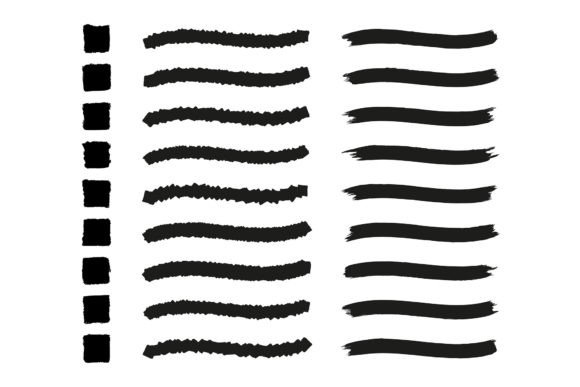
For any digital tool to be truly useful, it must integrate seamlessly into existing workflows. The set described here offers 9 art brush AI EPS files and 49 mixed scatter brushes AI EPS, ensuring a comprehensive toolkit for diverse projects. Crucially, these files are compatible with Adobe Illustrator CS6 and above. This broad compatibility is a significant benefit, as it allows users with older versions of the software to access modern brush technologies without needing to upgrade their entire suite.
The EPS (Encapsulated PostScript) format is widely supported and preserves vector data effectively, ensuring that the brushes remain scalable and editable regardless of the output size. Whether you are designing a small icon or a large-format billboard, the quality of the brush strokes remains crisp and clean.
Integrating these brushes into your workflow is straightforward. Once loaded into the Brushes panel, they can be applied to any path. Artists can further customize the brushes by double-clicking them in the panel to adjust specific parameters like scatter amount, size variation, and rotation. This level of control ensures that the brushes can be tailored to fit the unique style of each project, rather than forcing the artist to adapt to a preset look.
Choosing the Right Tools for Your Creative Needs
When selecting a brush set, consider the specific demands of your typical projects. If you frequently illustrate characters or animals, prioritize sets with robust fur and hair options. For graphic designers focused on layout and typography, halftone and texture brushes may offer more immediate value. The combination of both in a single package provides a balanced resource that can handle a wide range of creative challenges.
It is also important to consider the learning curve. While scatter brushes are powerful, they require an understanding of how paths and brush definitions interact. Beginners should start by experimenting with simple shapes and gradually move to more complex textures. Observing how professional illustrators use these tools in tutorials can provide valuable insights into best practices and creative techniques.
Ultimately, the goal of using scatter brushes is to enhance the expressive potential of vector art. By breaking free from the constraints of perfect geometry, artists can create work that feels human, organic, and alive. Whether you are adding the subtle texture of fur to a character, the rhythmic pattern of halftones to a background, or the dynamic energy of trail shadows to a composition, these tools empower you to push the boundaries of what is possible in Adobe Illustrator.
In a digital landscape that increasingly values authenticity and texture, mastering these brushes is not just a technical skill—it is a creative advantage. They allow you to infuse your vector illustrations with the warmth and complexity of the real world, making your work stand out in a sea of flat, generic designs. Embrace the randomness, experiment with the settings, and let these tools elevate your artistic vision.