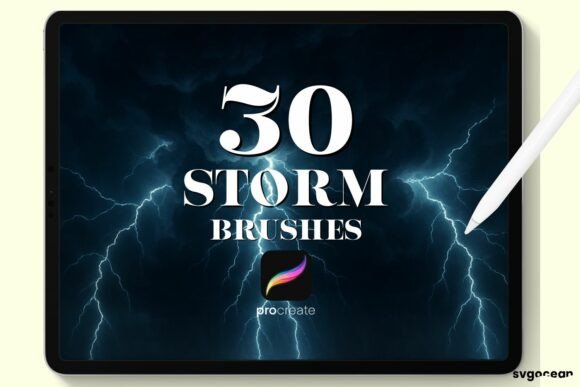
Storm and Lightning Procreate Brushes
Digital art thrives on the ability to capture energy. Whether you are illustrating a dramatic landscape, designing a dynamic logo, or adding atmospheric depth to a character portrait, the elements of nature offer some of the most compelling visual metaphors. However, rendering weather phenomena like storms and lightning from scratch can be technically demanding. It requires an understanding of light physics, texture, and motion that takes years to master. This is where specialized tools become invaluable. The Storm and Lightning Procreate Brushes provide a streamlined solution for artists who want to inject power and atmosphere into their work without getting bogged down in complex technical execution.
These brushes are designed specifically for the Procreate app on the iPad, leveraging the precision of the Apple Pencil to deliver clean, easy-to-use stamps. They are not just pre-made images; they are versatile digital assets that respond to your creative intent. By integrating these tools into your workflow, you can focus less on the mechanics of drawing every bolt of electricity and more on the composition, mood, and narrative of your piece.
Why Specialized Weather Brushes Matter
In traditional media, painting a storm involves layering translucent glazes, scrubbing textures, and carefully managing water content to achieve the right level of chaos and control. In digital art, while we have undo buttons and layers, the time investment remains significant. Creating realistic lightning, for instance, involves jagged lines, branching structures, and intense luminosity effects that must interact correctly with the surrounding environment.
The Storm and Lightning Procreate Brushes bridge the gap between artistic vision and technical efficiency. They allow you to place complex weather elements instantly, which you can then customize. Because they are compatible with any color or opacity setting, they adapt seamlessly to your existing palette. You are not stuck with a default "blue" lightning or a generic "gray" cloud. Instead, you have the freedom to match the weather to the emotional tone of your artwork. A neon pink storm for a cyberpunk cityscape? A subtle, low-opacity mist for a morning scene? These brushes handle it all.
Creative Applications Across Industries
The utility of these brushes extends far beyond traditional landscape painting. Different professionals can leverage these tools to enhance their specific outputs.
Illustrators and Concept Artists
For concept artists working in gaming or film, speed is often as critical as quality. When pitching an environment, you need to convey mood quickly. Using Storm and Lightning Procreate Brushes, you can block in a dramatic sky in seconds, allowing stakeholders to visualize the atmosphere of a scene immediately. Illustrators can use these stamps to add focal points to their compositions. A well-placed lightning strike can guide the viewer’s eye through a chaotic battle scene or highlight a moment of magical transformation.
Graphic Designers and Marketers
Visual impact is currency in marketing. Designers creating posters, social media graphics, or album covers often look for elements that suggest energy, disruption, or power. Lightning is a universal symbol for these concepts. By using these brushes, designers can create custom typographic effects where letters appear to be charged with electricity, or background textures that suggest an impending breakthrough. The ability to adjust opacity means these elements can serve as subtle overlays that add depth without overpowering the main message.
Educators and Content Creators
Educators creating digital presentations or textbooks can use these tools to make scientific concepts more engaging. Illustrating the path of a lightning strike or the structure of a storm system becomes easier when you have accurate base shapes to work from. Bloggers and YouTubers can use these brushes to create unique thumbnails or header images that stand out in crowded feeds, adding a professional polish that generic stock photos often lack.
Mastering the Workflow
To get the most out of these tools, it is essential to understand how they integrate into the Procreate ecosystem. The process is designed to be intuitive, ensuring that you spend more time creating and less time troubleshooting.
First, remember that these files are delivered in the .brushset format. This is the native format for Procreate brush libraries, ensuring full compatibility with the app’s engine. Upon purchase, you will receive an email with a download link. Once you have downloaded the file to your iPad, the installation is straightforward. Open Procreate, tap on the brush library icon, and select "Import." Navigate to your downloaded file, and the entire set will appear in your brush list, ready for immediate use.
Once imported, experimentation is key. While the stamps are "clean and easy to use," their true potential lies in customization. Try changing the blend modes of the layers you paint on. Setting a lightning stamp to "Add" or "Screen" can create a glowing effect that mimics real light emission. Adjusting the opacity allows you to build up intensity gradually, creating a sense of depth rather than a flat sticker-like appearance.
Maintaining Consistency and Originality
A common concern when using stamps or preset brushes is the risk of looking generic. To keep your work original, treat these brushes as starting points, not final products. Use them to establish the basic shape and position of the weather elements, then go in with standard Procreate brushes to refine edges, add debris, rain, or wind effects, and adjust colors to match your lighting source.
Consistency is achieved by limiting your palette. Even though you can use any color, sticking to a cohesive color scheme for your storm elements ensures they feel part of the world you are building. If your scene is lit by a warm sunset, your lightning might have a warmer, orange hue rather than a cool blue. This attention to contextual detail elevates the work from a simple composite to a unified piece of art.
Technical Considerations
It is important to note that these brushes are ONLY compatible with the Procreate App. They will not work in Photoshop, Clip Studio Paint, or other desktop software. This specificity allows the brushes to be optimized for the iPad’s touch interface and the Apple Pencil’s pressure sensitivity, ensuring a smooth performance. You will receive one .brushset file containing the collection. There are no additional plugins or complicated installations required.
For best results, ensure your Procreate app is updated to the latest version. This guarantees that all features, including any advanced rendering capabilities used by the brushes, function correctly. Since these are digital downloads, there is no shipping wait time. You can start enhancing your artwork immediately after purchase.
Expanding Your Digital Toolkit
Investing in specialized tools like the Storm and Lightning Procreate Brushes is an investment in your creative efficiency. It frees up mental bandwidth, allowing you to tackle more ambitious projects or meet tighter deadlines without sacrificing quality. Whether you are a hobbyist looking to add drama to your weekend sketches or a professional designer needing reliable assets for client work, these brushes offer a practical, versatile solution.
By combining these easy-to-use stamps with your own artistic judgment, you can create weather effects that are not only visually striking but also emotionally resonant. The storm is no longer just a background element; it becomes an active participant in your visual storytelling. Download the set, import it into Procreate, and start experimenting with the power of the elements today.