Enhancing Digital Landscapes: A Practical Review of 30 Grass Texture Photoshop Stamp Brushes
In the realm of digital art and photo manipulation, achieving organic realism often hinges on the smallest details. Among these, vegetation—specifically grass—presents a unique challenge. It is complex, chaotic, and varies wildly in texture and lighting. For designers, illustrators, and photographers working within Adobe Photoshop, manually painting or cloning every blade of grass is not only time-consuming but often results in repetitive, unnatural patterns. This is where specialized tools like the 30 Grass Texture Photoshop Stamp Brushes become invaluable assets. Designed for compatibility across Photoshop CS2 through CC and all subsequent versions, this collection offers a streamlined approach to adding verdant detail to any project.
Understanding whether this specific brush set aligns with your workflow requires looking beyond the marketing claims. It involves evaluating resolution, versatility, ease of use, and how it compares to alternative methods of creating ground cover in digital environments. This analysis explores the practical applications, strengths, and limitations of these high-resolution stamp brushes to help you decide if they are the right fit for your creative toolkit.
Defining the Tool: What Are Grass Texture Stamp Brushes?
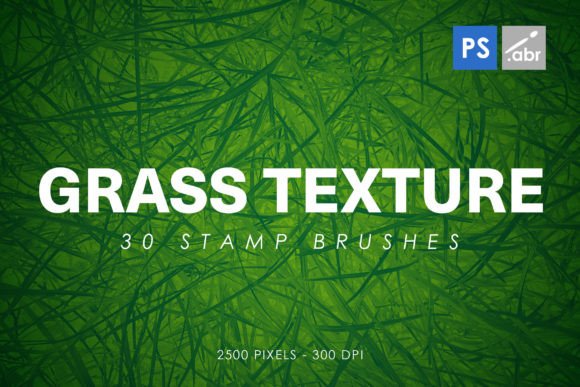
Unlike standard round or square brushes that rely on spacing and dynamics to create lines, stamp brushes function more like digital stencils or stickers. Each brush tip in this collection of 30 Grass Texture Photoshop Stamp Brushes is a pre-rendered, high-resolution image of a cluster of grass. When you click or drag with the tool, you are placing these detailed clusters onto your canvas. The key differentiator here is the resolution; at 2500 pixels, these brushes retain sharpness even when scaled moderately, ensuring that individual blades do not blur into undefined green smudges.
The distinction between "stamp" brushes and standard textured brushes is crucial for user expectations. Standard brushes are ideal for painting broad strokes or creating soft gradients. In contrast, stamp brushes are designed for rapid placement of complex shapes. This makes them particularly effective for foreground elements where detail is paramount, or for quickly covering large areas in background landscapes without the monotony of manual cloning.
Comparative Analysis: Stamp Brushes vs. Alternative Methods
When considering how to add grass to a digital composition, creators typically have three main options: manual painting, stock photo overlays, and specialized brush sets. Evaluating the 30 Grass Texture Photoshop Stamp Brushes against these alternatives highlights specific tradeoffs.
Manual Painting and Cloning
Painting grass blade-by-blade offers the highest degree of control. An artist can dictate the exact direction, color variation, and lighting of every element. However, this method is prohibitively slow for most commercial projects. Using the Clone Stamp tool to copy existing grass from one part of an image to another is faster but often leads to visible repetition patterns, breaking the illusion of reality. The stamp brush set mitigates this by providing thirty distinct variations, allowing for a more randomized and natural distribution with significantly less effort than manual painting.
Stock Photo Overlays
Another common approach is purchasing high-resolution stock photos of grass fields and blending them into the artwork using layer masks and blending modes. While this provides photorealistic results, it lacks flexibility. Integrating a rectangular photo overlay into an irregularly shaped landscape requires extensive masking and warping. Furthermore, matching the perspective and lighting of a stock photo to an existing composite can be technically challenging. The 30 Grass Texture Photoshop Stamp Brushes offer a middle ground: they provide photographic quality textures but allow for modular placement. You can rotate, scale, and opacity-adjust each stamp individually, offering greater compositional freedom than a static overlay.
Procedural Generation and 3D Assets
For game developers and 3D artists, procedural tools or 3D grass assets are the gold standard. However, these require specialized software knowledge and significant rendering power. For 2D digital painters, concept artists, or photo editors, importing 3D assets is often unnecessary overkill. This brush set serves as a lightweight, efficient alternative for 2D workflows, delivering high-fidelity results without the technical overhead of 3D modeling.
Versatility and Use Cases
The utility of these brushes extends beyond simple landscape enhancement. Because they are high-resolution images (2500 pixels), they can be repurposed in various creative contexts. Understanding these diverse applications can help maximize the value of the purchase.
- Digital Photo Manipulation: When compositing multiple images, grounding subjects is essential. Placing grass stamps in the foreground helps blend a subject into a new environment, creating a cohesive depth of field.
- Visual Effects for Games: Concept artists can rapidly prototype environment designs. These brushes allow for quick iteration of different terrain types, from lush meadows to dry, sparse patches.
- Text Fill and Typography: A creative typographic technique involves masking text with texture. Using these grass stamps as a fill pattern can create organic, nature-themed headlines for eco-friendly brands or outdoor event posters.
- Decorative Elements: Beyond realism, these textures can serve as abstract decorative borders or frames in graphic design projects, adding a touch of organic irregularity to structured layouts.
Evaluating Quality and Compatibility
A primary concern when downloading digital assets is compatibility. The 30 Grass Texture Photoshop Stamp Brushes are designed to work with Photoshop CS2 through CC and all newer versions. This broad compatibility is a significant advantage for users who may not be on the latest subscription plan or who work in studios with varied software versions. The .abr file format is standard, ensuring easy installation and immediate access.
The resolution of 2500 pixels is another critical factor. In digital art, low-resolution brushes pixelate when enlarged, ruining the effect. High-resolution stamps maintain clarity, allowing for crisp edges on individual blades of grass. This is particularly important for print media or high-DPI screens where detail loss is noticeable. However, users should note that higher resolution files can increase the document size and potentially slow down performance on older hardware if used excessively in a single layer.
Limitations and Decision Factors
While versatile, this tool is not a panacea for all vegetation needs. Recognizing its limitations is key to making an informed decision.
Lack of Dynamic Lighting: As static images, the brushes come with baked-in lighting and shadows. If your scene features light coming from the left, but the brush stamp has shadows cast to the right, it will look out of place. Users must be prepared to adjust levels, hue/saturation, and potentially use dodge and burn tools to match the lighting of the stamp to the rest of the composition. This requires a moderate level of Photoshop proficiency.
Repetition Risks: Although there are 30 variations, heavy use in a small area can still reveal patterns. To avoid this, artists should frequently rotate the brush angle, vary the opacity, and mix different brush tips. Relying on a single stamp type will result in an artificial, tiled appearance.
Not Suitable for Extreme Close-Ups: While 2500 pixels is high resolution, it is not infinite. For extreme macro shots where individual dew drops or cellular structures of the grass are visible, these stamps may lack the necessary microscopic detail. In such cases, custom photography or 3D rendering remains superior.
Is This Brush Set Right for You?
Deciding whether to incorporate the 30 Grass Texture Photoshop Stamp Brushes into your workflow depends on your specific needs and skill level.
This resource is an excellent choice if:
- You work frequently with landscapes, nature themes, or environmental concept art.
- You need to speed up your workflow without sacrificing too much control.
- You are comfortable with basic Photoshop adjustments like color correction and layer masking.
- You require assets that are compatible with older versions of Photoshop.
Conversely, you might consider alternative options if:
- You require fully dynamic, physics-based grass simulation (better suited for 3D engines).
- You are creating hyper-realistic macro photography composites where every blade must be unique and lit perfectly.
- You prefer a completely hand-painted aesthetic and find pre-made textures restrictive to your artistic style.
In conclusion, the 30 Grass Texture Photoshop Stamp Brushes represent a balanced solution for digital creators seeking efficiency and quality. They bridge the gap between the labor-intensive nature of manual painting and the rigidity of stock overlays. By understanding their strengths in rapid prototyping and texture application, while acknowledging the need for manual lighting adjustments, artists can effectively leverage these tools to enhance the realism and depth of their digital projects. Whether for game design, photo manipulation, or graphic decoration, this set offers a robust, versatile resource for adding the finishing touches to any green landscape.