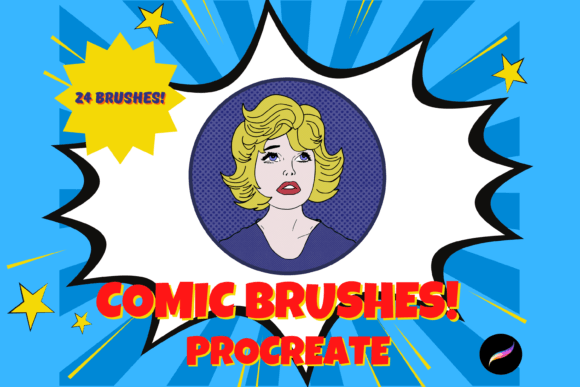
Mastering Digital Comics with the Procreate X 24 Brush Pack
The landscape of digital illustration has shifted dramatically in recent years, moving from complex desktop software to intuitive, touch-based interfaces that empower artists to create anywhere. At the forefront of this revolution is Procreate, an application that has become synonymous with digital art on the iPad. However, the software is only as powerful as the tools within it. For creators aiming to produce authentic, high-impact comic art, standard brushes often fall short of capturing the gritty, textured aesthetic of traditional print media. This is where specialized toolsets like the Comic Brushes for Procreate X 24 become essential assets in a digital artist’s workflow.
This comprehensive brush pack offers a curated selection of twenty-four hand-created digital brushes designed specifically for the nuances of comic creation. By integrating newspaper textures, halftones, inkers, and paint brushes into a single kit, these tools bridge the gap between analog charm and digital efficiency. Whether you are a seasoned professional illustrator, an educator teaching visual storytelling, or a hobbyist exploring graphic novels for the first time, understanding how to leverage these specific tools can significantly elevate the quality and authenticity of your work.
The Anatomy of Authentic Comic Aesthetics
Comic art is defined by its distinct visual language, which relies heavily on contrast, texture, and pattern. Traditional comics were printed on newsprint, a low-quality paper that absorbed ink unevenly, creating a unique grain and texture that modern digital screens often lack. Recreating this look digitally requires more than just black lines on a white background; it demands layers of imperfection and depth.
The Comic Brushes for Procreate X 24 address this need by including specialized newspaper textures and halftone patterns. Halftones are crucial for shading in comic art, mimicking the way traditional printing presses used dots of varying sizes to create gradients. In a digital environment, these can be applied as overlays using a light color or adjusted via blend modes to add depth without obscuring the underlying line work. The ability to mix and match these textures allows artists to simulate the feel of vintage publications or create a stylized, modern noir effect.
Furthermore, the inclusion of various inkers and texturizers provides the necessary variation in line weight and edge quality. Unlike vector lines, which are perfectly smooth, comic inking often benefits from slight irregularities that suggest the use of a nib pen or a brush. These digital brushes replicate that organic feel, allowing for dynamic line variation that responds to pressure and speed, much like traditional tools.
Technical Versatility and Customization
One of the primary advantages of digital art is the non-destructive nature of the workflow. The brushes in this pack are designed to be highly flexible, accommodating different artistic styles and project requirements. Users can resize any of the twenty-four brushes using the built-in brush resize tool in Procreate or by utilizing the move and resize tool on the canvas. This scalability ensures that a texture suitable for a small panel can also be adapted for a full-page splash screen without losing clarity or impact.
Beyond size, the visual intensity of the brushes can be fine-tuned. The strength of the blend, ink charge, and opacity can be altered using the opacity slider and various blend modes available within the app. For instance, lowering the opacity of a halftone overlay can create a subtle shadow effect, while changing the blend mode to "Multiply" can integrate the texture seamlessly with colored backgrounds. This level of control empowers artists to experiment with different looks rapidly, fostering a creative process that is both exploratory and precise.
The kit includes a diverse range of tools, from sharp inkers for crisp outlines to softer paint brushes for filling in large areas or creating atmospheric effects. This variety means that an artist can complete an entire comic page—from pencil sketches to final inks and tones—without switching between multiple brush packs or external programs. The cohesion of the set ensures that all elements share a compatible aesthetic, resulting in a unified final piece.
Workflow Integration for Professionals and Educators
For professional illustrators and comic creators, time is a critical resource. The efficiency gained by having a dedicated set of comic-specific brushes cannot be overstated. Instead of spending hours configuring custom brushes or searching for suitable textures online, artists can immediately begin creating. The Comic Brushes for Procreate X 24 streamline the production pipeline, allowing for faster iteration and quicker turnaround times on client projects or personal works.
Educators and researchers studying digital media also find value in these tools. In a classroom setting, demonstrating the principles of comic composition becomes more effective when students have access to tools that accurately represent the medium. Teachers can use these brushes to show how halftones affect perception of depth or how texture influences the mood of a scene. By providing students with industry-standard digital tools, educators prepare them for real-world applications in graphic design and illustration.
Hobbyists and creators benefit from the accessibility of the pack. The learning curve for Procreate is relatively gentle, and having pre-configured brushes reduces the technical barrier to entry. New artists can focus on developing their drawing skills and storytelling abilities rather than getting bogged down in software configuration. The ability to see immediate, professional-looking results can be highly motivating, encouraging continued practice and exploration of the medium.
Hardware and Software Requirements
To fully utilize the potential of these digital brushes, specific hardware and software conditions must be met. It is important to note that these files are digital brushes designed exclusively for the Procreate app. They will not function in other illustration software such as Photoshop, Clip Studio Paint, or Adobe Fresco. Therefore, users must have an iPad with the Procreate app installed.
For optimal performance, an Apple Pencil is required. The pressure sensitivity and tilt recognition features of the Apple Pencil are integral to the functionality of the inking and painting brushes in this pack. Without the Pencil, users would lack the precise control needed to vary line weight and opacity dynamically, which is central to the comic art style. While basic touch input might allow for some manipulation, the full expressive potential of the Comic Brushes for Procreate X 24 is unlocked only when paired with the Apple Pencil on an iPad Pro or compatible iPad model.
Installation and File Management
Installing digital brushes on an iPad involves a few straightforward steps, though it may be unfamiliar to those new to digital asset management. Since the brushes are distributed as digital files, users need a platform to download them, such as iCloud, Dropbox, or Google Drive. Once downloaded, the files typically come in a compressed format, requiring a program like iZip or the built-in Files app to unzip the archive.
After unzipping, the individual brush files can be imported directly into Procreate. The app allows users to organize brushes into named folders, which helps keep the workspace tidy. By importing the Comic Brushes for Procreate X 24 into a dedicated folder, artists can easily access their comic tools alongside their standard brushes. This organizational strategy is particularly useful for professionals who work across multiple genres and need to switch between toolsets quickly.
It is advisable to review the listing pictures or documentation provided with the purchase to understand the specific characteristics of each of the twenty-four brushes. Familiarizing oneself with the unique properties of each tool—such as which brush is best for rough textures versus clean lines—can significantly enhance the efficiency of the creative process. Taking the time to test each brush on a sample canvas allows artists to discover new techniques and combinations that might not be immediately obvious.
Expanding Creative Possibilities
The versatility of the Comic Brushes for Procreate X 24 extends beyond traditional comic books. These tools can be applied to graphic novels, zines, editorial illustrations, and even social media content. The newspaper textures and halftones add a retro flair to modern designs, making them suitable for branding projects that aim for a vintage or artisanal look. Paint brushes included in the kit can be used for concept art, storyboarding, or character design, providing a cohesive visual style across different stages of production.
By mixing and matching the inkers, texturizers, and overlays, artists can develop a unique signature style. The ability to alter opacity and blend modes means that no two applications of the brush need to look the same. This flexibility encourages experimentation and innovation, allowing creators to push the boundaries of what is possible in digital comic art. As the digital art community continues to grow, having a robust and versatile toolkit like this one positions artists to meet the evolving demands of clients and audiences alike.
In conclusion, the Comic Brushes for Procreate X 24 represent a significant enhancement to the digital illustrator’s arsenal. By combining authentic textures, versatile inking tools, and user-friendly customization options, this pack supports a wide range of creative endeavors. From professional studios to educational classrooms, these brushes facilitate the creation of compelling, visually rich comic art that resonates with viewers. Understanding their capabilities and integrating them effectively into your workflow can transform your digital illustration practice, offering new avenues for expression and efficiency.