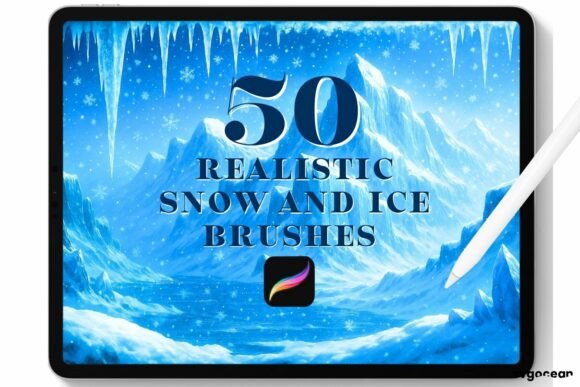
Mastering Winter Aesthetics with Snow and Ice Procreate Brushes
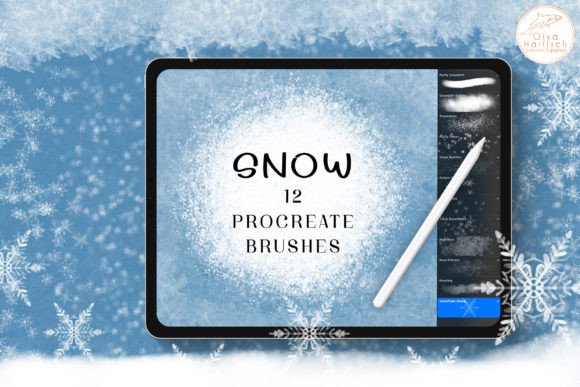
In the rapidly evolving landscape of digital illustration, the demand for specialized tools that can authentically replicate natural textures has never been higher. Among these, Snow and Ice Procreate Brushes have emerged as an essential resource for artists looking to capture the ephemeral beauty of winter landscapes. Whether you are a professional concept artist designing environments for video games, a hobbyist creating holiday greeting cards, or a social media content creator aiming for seasonal engagement, the ability to render convincing snow and ice is a valuable skill. This article explores the utility, application, and practical considerations of using these specialized digital stamps within the Procreate ecosystem on the iPad.
The Digital Challenge of Rendering Winter Textures
Traditionally, painting snow and ice in a digital medium presents a unique set of challenges. Snow is not merely white; it is a complex interplay of light, shadow, and transparency. Ice requires a delicate balance of refraction, hardness, and surface imperfection. Attempting to paint these elements from scratch using standard round brushes can be time-consuming and often yields results that look flat or artificial. This is where Snow and Ice Procreate Brushes bridge the gap between technical efficiency and artistic expression.
These brushes are designed specifically for the Procreate App on the iPad, leveraging the precision of the Apple Pencil. Unlike generic texture overlays, these tools are engineered to respond to pressure and tilt, allowing for a dynamic workflow that feels organic. The core value proposition here is not just speed, but the enhancement of realism through pre-configured algorithms that mimic the scattering of light on crystalline structures.
Key Features and Technical Specifications
Understanding the technical makeup of these tools helps users maximize their potential. The Snow and Ice Procreate Brushes are distributed as a single .brushset file, ensuring a streamlined installation process. Here are the defining characteristics:
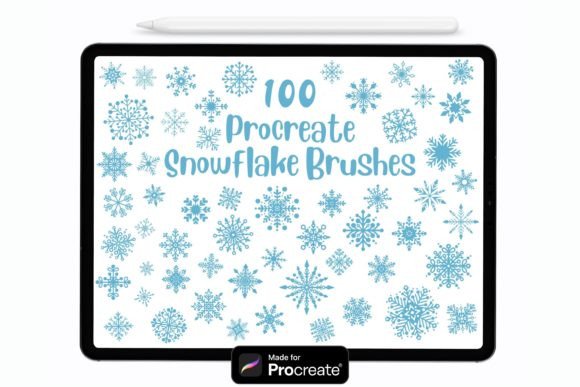
- Clean and Easy-to-Use Stamps: The brushes function largely as stamps, meaning each tap places a pre-designed cluster of snowflakes or ice shards. This eliminates the need to manually draw individual crystals.
- Color and Opacity Flexibility: Users can apply these brushes in any color. This is crucial because snow often reflects the ambient light of its environment—appearing blue in shadows, pink at sunset, or gray in overcast conditions. The opacity settings allow for layering, creating depth and density.
- iPad and Apple Pencil Optimization: The brushes are calibrated for the touch interface of the iPad, ensuring that the stroke dynamics feel natural when used with an Apple Pencil.
- Instant Download Format: The product is delivered digitally, allowing for immediate access after purchase confirmation.
Practical Applications for Creators and Businesses
The versatility of Snow and Ice Procreate Brushes extends beyond traditional landscape painting. Various professionals and creators can integrate these tools into their workflows to enhance productivity and visual appeal.
Concept Art and Game Design
For environment artists in the gaming industry, time is a critical resource. Creating believable winter biomes requires extensive detailing. By using these brushes, artists can quickly block out snow-covered terrain, add frost to rocks, or create icy surfaces for platforms. The ability to toggle opacity allows for the creation of distant, atmospheric snowfall versus heavy, foreground blizzards, adding significant depth to scene composition.
Digital Marketing and Social Media Content
Business owners and marketing professionals often need to produce seasonal content rapidly. Whether it is a winter sale announcement, a holiday-themed Instagram post, or a festive email header, these brushes provide a quick way to add a professional, wintry aesthetic without requiring advanced illustration skills. The "clean" nature of the stamps ensures that the resulting images look polished and brand-appropriate.
Educational and Editorial Illustration
Illustrators working for educational publishers or editorial outlets can use these tools to depict weather phenomena accurately. When explaining climate science or telling stories set in polar regions, having reliable tools to depict ice formations and snow accumulation helps maintain visual credibility.
Installation and Workflow Integration
One of the most appealing aspects of this digital asset is its simplicity. However, for users new to Procreate, the installation process might seem unfamiliar. Below is a straightforward guide to getting started with your Snow and Ice Procreate Brushes.
- Purchase and Confirmation: After completing the purchase payment, you will receive an automated email containing a secure download link. Ensure you check your spam folder if the email does not appear in your primary inbox immediately.
- Download the Files: Click the link to download the file to your iPad. The file will be saved in your "Files" app, typically in the "Downloads" folder. The file format will be
.brushset. - Import into Procreate: Open the Procreate app. Locate the downloaded
.brushsetfile in your Files app. Tap on the file, and select "Open in Procreate." The app will automatically import the brushes into your current brush library. - Customization: Once imported, you can organize the brushes into a dedicated group. You may also adjust individual brush settings, such as size limits or streamlining, to better suit your personal drawing style.
Evaluating Suitability: Is This Tool Right for You?
While Snow and Ice Procreate Brushes offer significant advantages, it is important to evaluate whether they align with your specific project needs. No tool is a universal solution, and understanding limitations is key to professional practice.
Strengths and Advantages
The primary strength lies in efficiency. What might take hours to paint manually can be achieved in minutes. Furthermore, the consistency of the stamps ensures a uniform look across large areas, which is difficult to achieve with hand-drawn textures. The flexibility in color and opacity also means that the brushes do not lock you into a specific artistic style; they can be adapted for cartoonish, realistic, or abstract interpretations.
Considerations and Limitations
It is crucial to note that these brushes are ONLY compatible with the Procreate App. They will not work in Photoshop, Clip Studio Paint, or other digital art software. This limitation restricts their utility to iPad users within the Apple ecosystem. Additionally, while the stamps are "clean," overuse can lead to repetitive patterns. Skilled artists often combine these brushes with manual painting techniques to break up repetition and add unique details.
Another consideration is the resolution. While Procreate handles high-resolution canvases well, users should ensure their canvas size is appropriate for their intended output (e.g., print vs. web) to maintain the crispness of the ice and snow details.
Best Practices for Realistic Results
To get the most out of your Snow and Ice Procreate Brushes, consider the following tips:
- Layering is Key: Do not rely on a single layer. Use multiple layers with varying opacities to build up depth. Place darker, denser snow in the background and lighter, sharper flakes in the foreground.
- Color Theory Application: Avoid using pure white (#FFFFFF) for all snow elements. Sample colors from the surrounding environment to tint the snow, creating a more cohesive and realistic image.
- Mix with Standard Brushes: Use standard soft brushes to paint the underlying shapes and shadows of snowdrifts, then use the stamp brushes to add texture and detail on top. This hybrid approach yields the most natural results.
- Experiment with Blend Modes: Try setting the brush layer to "Add" or "Screen" blend modes for glowing ice effects, or "Multiply" for shadowed snow textures.
Conclusion
The integration of Snow and Ice Procreate Brushes into your digital toolkit represents a smart investment in both time and quality. By automating the complex task of rendering winter textures, these tools allow creators to focus on composition, lighting, and storytelling. Whether you are a seasoned professional or an enthusiastic beginner, the ease of use and versatility of these stamps make them a valuable addition to your creative arsenal. As with any digital tool, mastery comes from experimentation. Download the .brushset, import it into Procreate, and start exploring the endless possibilities of digital winter landscapes.