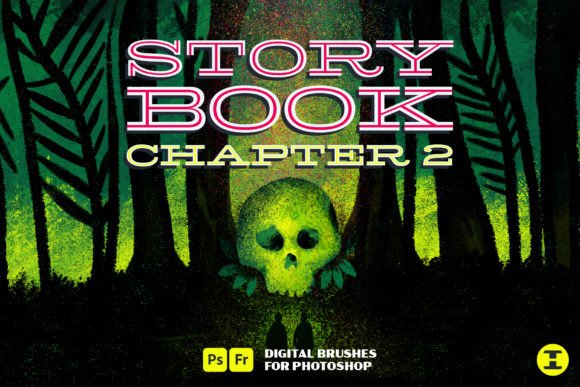
Storybook Chapter 2 Photoshop Brushes: Expanding Your Digital Textured Toolkit
Digital illustration has evolved far beyond the clean, sterile lines of early vector art. Today’s artists, designers, and content creators crave authenticity. They seek the tactile warmth of traditional media—the scratch of charcoal on paper, the bleed of ink, and the rich resistance of oil pastel. For those who have already integrated the original Storybook Chapter 1 Photoshop Brush set into their workflow, the transition to Storybook Chapter 2 Photoshop Brushes represents a significant leap forward in creative capability. This expansion does not merely add quantity; it enhances quality and variety, building upon a solid foundation to provide a comprehensive suite of tools for textured digital art.
Bridging the Gap Between Traditional and Digital Media
The primary challenge facing modern digital artists is the "uncanny valley" of texture. While software can mimic color and shape with perfect precision, replicating the organic imperfections of physical media is difficult. Many brush sets offer a single solution—perhaps a decent pencil or a basic watercolor—but fail to provide the cohesive ecosystem needed for complex, mixed-media pieces. Artists often find themselves switching between multiple brush packs, struggling to maintain consistency in grain, opacity, and flow.
Storybook Chapter 2 Photoshop Brushes addresses this fragmentation by offering a unified library that expands on the beloved features of its predecessor. It is designed for adults seeking practical solutions to elevate their digital portfolios, whether they are creating concept art, children’s book illustrations, or sophisticated graphic designs. By focusing on the nuances of material interaction, this brush set allows users to achieve a level of depth and realism that standard digital tools simply cannot match.
New Tools for Enhanced Expression
While Chapter 1 laid the groundwork, Chapter 2 introduces specific categories of brushes that cater to more detailed and varied artistic needs. The inclusion of a ton of markers, new wax and oil crayons, all-new grain shaders, and specialized sketching brushes transforms the user experience. Here is how these additions solve common creative hurdles:
- Markers for Bold Definition: Digital markers often suffer from looking too uniform or plastic. The markers in Storybook Chapter 2 Photoshop Brushes are engineered to replicate the alcohol-based bleed and the subtle streaks of real-world markers. This is ideal for artists who need to lay down quick, vibrant base colors or add sharp, graphic accents to their compositions.
- Wax and Oil Crayons for Texture: One of the most difficult textures to simulate digitally is the waxy buildup of crayons. The new wax and oil crayon brushes in this set capture the granular resistance and the way pigment catches on the "tooth" of the digital canvas. This allows for rich, layered effects that add physical weight to flat digital images.
- Grain Shaders for Atmosphere: Lighting and shading can often look too smooth in digital art. The all-new grain shaders provide a sophisticated way to introduce noise and texture into shadows and highlights. This helps blend elements together naturally, preventing the "cut-and-paste" look that plagues many composite images.
- Sketching Brushes for Ideation: Before the final polish, every great piece starts with a sketch. The handful of new sketching brushes offer varying degrees of roughness and pressure sensitivity, allowing artists to capture the energy of initial ideas without losing clarity.
Practical Applications for Diverse Creators
The versatility of Storybook Chapter 2 Photoshop Brushes means it serves a wide range of professionals and hobbyists. Understanding how different users can leverage these tools helps maximize their value.
For Illustrators and Concept Artists
Illustrators often need to convey mood quickly. The combination of sketching brushes for layout and grain shaders for atmosphere allows for rapid prototyping. An artist can block in shapes with the new markers, define forms with the oil crayons, and then use the grain shaders to unify the lighting. This workflow reduces the time spent on rendering while increasing the perceived effort and craftsmanship of the final piece.
For Graphic Designers and Brand Specialists
In branding, authenticity is a currency. Designers tasked with creating organic, hand-crafted logos or packaging elements can use the wax crayon textures to add a human touch to corporate identities. The markers provide a pop-art aesthetic that is currently trending in social media graphics. By using Storybook Chapter 2 Photoshop Brushes, designers can create assets that feel bespoke and artisanal, distinguishing their clients from competitors relying on stock vector art.
For Educators and Hobbyists
Adult learners returning to art often struggle with the steep learning curve of digital software. This brush set simplifies the process by providing tools that behave predictably and intuitively. The markers and crayons respond to pressure in ways that feel natural to anyone who has used physical equivalents. This lowers the barrier to entry, allowing hobbyists to focus on composition and color theory rather than fighting with software settings.
Implementing the Brush Set into Your Workflow
To get the most out of Storybook Chapter 2 Photoshop Brushes, consider adopting a layered approach to your digital painting. Start with the sketching brushes to establish your composition. Use low opacity to keep lines loose and editable. Next, utilize the markers for broad color blocking. Because these brushes mimic real alcohol markers, they blend well when layered, allowing you to build depth gradually.
Once the base is established, switch to the wax and oil crayons. These are best used on separate layers with blending modes such as "Multiply" or "Overlay" to add texture without obscuring the underlying colors. Finally, apply the grain shaders sparingly on adjustment layers or clipped masks to tie the entire image together. This method ensures that the texture enhances the art rather than overwhelming it.
It is also recommended to experiment with tablet pressure settings. The brushes in this set are highly sensitive to input velocity and pressure. Adjusting your stylus sensitivity can yield dramatically different results, from faint, dusty chalk lines to bold, saturated crayon strokes. Taking the time to calibrate your hardware to the software will unlock the full potential of the tool kit.
Why Continuity Matters in Creative Tools
One of the understated benefits of Storybook Chapter 2 Photoshop Brushes is its continuity with Chapter 1. For existing users, this means no relearning curve. The interface, naming conventions, and behavioral logic remain consistent. This allows artists to seamlessly integrate the new resources into their existing libraries. For new users, starting with Chapter 2 provides access to the expanded feature set immediately, though exploring Chapter 1 can still offer additional foundational brushes that complement the newer additions.
The digital art market is saturated with low-quality brush packs that promise much but deliver little. What sets this collection apart is its focus on usable, high-quality textures that solve real problems. It moves beyond novelty to provide essential tools for serious creation. Whether you are looking to add a subtle grain to a portrait or create a full-page illustration that mimics a children’s storybook, this set provides the necessary components.
Final Thoughts on Elevating Digital Art
In an era where digital perfection is the default, imperfection becomes a stylistic choice. Storybook Chapter 2 Photoshop Brushes empowers artists to embrace that imperfection with control and precision. By offering a diverse array of markers, crayons, shaders, and sketching tools, it provides a complete solution for adding texture and life to digital canvases.
For those ready to move beyond flat colors and sterile lines, this brush set offers a practical, professional pathway to richer, more engaging artwork. It is not just about having more brushes; it is about having the right brushes to tell your story with authenticity and depth. As you expand your toolkit, remember that the goal is not to mimic tradition perfectly, but to use these digital analogs to express your unique vision with greater freedom and impact.